
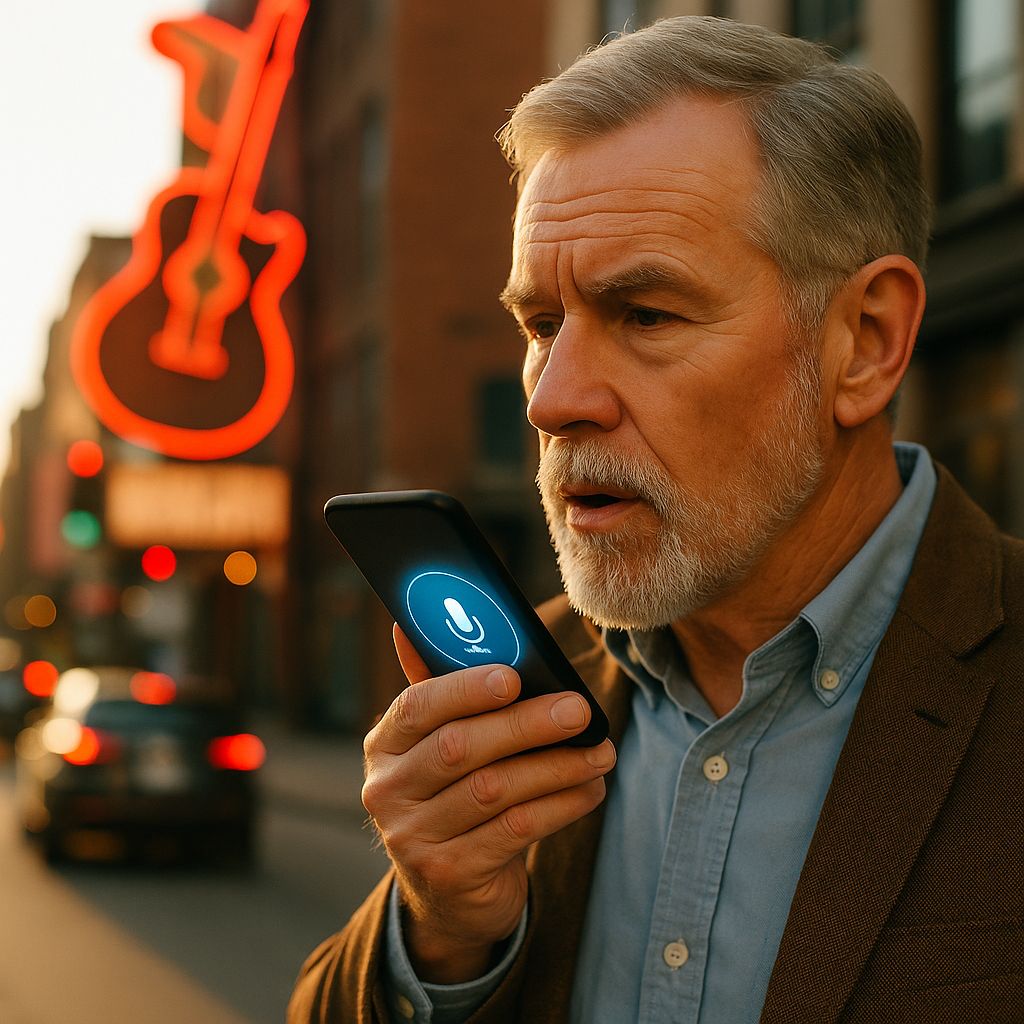
When someone’s driving down I-40 and asks Siri “best hot chicken near downtown Nashville,” does your restaurant show up? Probably not.
Voice search changed how people find local businesses. Instead of typing “HVAC repair Nashville,” they ask their phone “who can fix my AC today in East Nashville?” If your website targets short keywords instead of real questions, you’re invisible.
Most Nashville businesses don’t show up in voice search results. Not because voice search is complicated, but because they ignore three basic things: their Google Business Profile is outdated, their website doesn’t answer customer questions, and their site loads too slow on mobile.
This guide shows exactly what to fix, starting today, this week, this month. No theory. Just what works.
Test This Right Now (2 Minutes)
Pull out your phone. Say:
- “Hey Google, [your service] near [your neighborhood]”
- “Hey Siri, find the best [your business type] in Nashville”
- “Alexa, call [your competitor’s name]”
Did you show up? If not, here’s why:
Your business profiles are incomplete
- Google Business Profile has wrong phone number or outdated hours
- Apple Business Connect isn’t claimed (Siri uses this, not Google)
- Yelp listing is abandoned (Alexa pulls from here)
- Address inconsistent across platforms
Your website doesn’t answer real questions
- Homepage says “Welcome to XYZ Company” (nobody searches that)
- No FAQ section
- Content sounds like a brochure, not a conversation
Your site is slow on mobile
- Takes 5+ seconds to load
- Text is tiny, buttons don’t work
- Voice searchers leave immediately
Fix these three first. Everything else is pointless until these work.
Fix Your Business Profiles on Every Platform
Voice assistants pull from different sources:
- Google Assistant: Google Business Profile
- Siri: Apple Business Connect + Apple Maps
- Alexa: Bing Places + Yelp
Google Business Profile (Do This First)
Open Google Business Profile. Fix these TODAY (15 minutes):
Phone Number Call it right now. Does it ring? Does someone answer in 3 rings? No? Fix it.
Voice search users call immediately. If your number’s wrong, you lose the customer.
Address Must be:
- Your actual storefront (not your house)
- Spelled exactly like USPS spells it
- Consistent with what’s on your website, Yelp, and Apple Maps
Business Description Bad: “XYZ Plumbing provides quality service since 1995.”
Good: “Emergency plumber in East Nashville. We fix water heaters, clogged drains, and burst pipes. Available 24/7. Family-owned, serving Germantown, Five Points, and Inglewood for 30 years.”
The second one matches what people actually say when they talk to their phone.
Categories Pick the ONE thing you do most.
If you’re a pizza place that also does catering, pick “Pizza Restaurant” not “Caterer.” Voice search shows ONE category first.
Hours Update these weekly. Closed for New Year’s? Update it. Voice searchers asking “open now” will see you if hours are current, skip you if they’re not.
Photos Upload at least one new photo every month. Recent photos signal you’re active. Include:
- Exterior (so people recognize your building)
- Interior (shows you’re open and clean)
- Products/services (what you actually do)
- Team photos (builds trust)
Apple Business Connect (Critical for iPhone Users)
Go to business.apple.com and claim your listing. iPhone users are 40% of Nashville’s market.
Fill out completely:
- Business name (must match Google exactly)
- Address (must match Google exactly)
- Phone (must match Google exactly)
- Hours
- Categories
- Photos
- Website URL
Why this matters: When someone asks Siri “coffee shop near me,” it reads Apple Maps results, not Google.
Bing Places (For Alexa)
Go to bingplaces.com and claim your business.
Alexa pulls answers from Bing and Yelp. Keep your Bing listing current with same NAP (Name, Address, Phone) as Google and Apple.
Yelp (Don’t Ignore This)
Claim your Yelp business page. Alexa reads reviews from here.
Update:
- Photos (recent ones)
- Hours
- Services offered
- Respond to all reviews (good and bad)
What Nashville People Actually Say
Stop writing for Google. Write for your neighbor.
They don’t say: “HVAC services Nashville” They say: “My AC is making a weird noise, who can come look at it today?”
They don’t say: “Best restaurants Germantown” They say: “Where should I take my parents for dinner near Marathon Village?”
They don’t say: “Personal injury attorney” They say: “I got hit by a car on West End, do I need a lawyer?”
How to Find These Questions
- Check your phone/email – Copy the last 10 questions customers asked you
- Listen to your front desk – What do people ask when they call?
- Google Search Console – Check Queries tab, filter for questions (who, what, where, when, why, how)
- Read Google “People Also Ask” – Free keyword research
- Use AnswerThePublic.com – See real questions people type
Write these questions down. These ARE your keywords now.
Your Website Needs an FAQ Section (Not Optional)
Voice assistants read FAQ pages word-for-word as answers. If you don’t have one, you’re invisible.
Format (Copy This Structure)
Q: How much does AC repair cost in Nashville?
A: AC repair in Nashville costs $150-$400 for most issues. Simple fixes like thermostat problems run $150-$200. Compressor replacement costs $300-$400. We give free estimates before starting work. Call [number] for same-day service in East Nashville, Germantown, and 12 South.
Why this works:
- Direct answer in first sentence (40-60 words, what Google reads out loud)
- Local terms (Nashville, specific neighborhoods)
- Price transparency (everyone asks “how much”)
- Call to action with your service area
Write 8-12 Questions Minimum
Cover these topics:
- Pricing (everyone asks this first)
- Service area (where do you go?)
- Hours/availability (when are you open?)
- Emergency service (do you do rush jobs?)
- What makes you different (why choose you over competitors?)
- Common problems (specific to your industry)
- Payment methods (do you take cards/cash/insurance?)
- Qualifications (are you licensed/insured/certified?)
Writing Style
Write like you’re talking to a customer on the phone, not writing a college essay.
Bad: “Our establishment endeavors to provide expeditious service.” Good: “We show up fast, usually same day.”
Voice search rewards simple, clear language. Read each answer out loud. If it sounds awkward, rewrite it.
Speed Up Your Site (Critical for Voice Search)
Voice searchers are impatient. Your site loads in 5 seconds? They’re already gone.
Test Your Speed Right Now
Go to: pagespeed.web.dev
Enter your website URL and run the test on mobile.
Core Web Vitals you need to hit:
| Metric | Target | What It Measures |
|---|---|---|
| LCP (Largest Contentful Paint) | Under 2.5 seconds | How fast your main content loads |
| INP (Interaction to Next Paint) | Under 200 milliseconds | How fast buttons respond |
| CLS (Cumulative Layout Shift) | Under 0.1 | Whether content jumps around while loading |
If any are red or yellow, your site is too slow for voice search.
Quick Fixes Anyone Can Do
1. Compress Your Images (Biggest Impact)
- Go to tinypng.com or squoosh.app
- Upload every photo from your site
- Download compressed versions
- Replace old ones
- Target: Every image under 200kb
- Use WebP format (smaller than JPG, same quality)
2. Enable Lazy Loading WordPress sites: Install “Lazy Load by WP Rocket” (free plugin) Other platforms: Most modern themes have this built-in, just turn it on in settings
3. Delete Unused Plugins/Scripts WordPress: Go to Plugins > Installed Plugins, deactivate and delete anything you don’t use Every plugin slows your site down
4. Use a CDN (Content Delivery Network) Cloudflare has a free plan. Sign up, point your domain, instant speed boost.
5. Upgrade Your Hosting If you’re on basic shared hosting (GoDaddy $5/month plans, cheap Bluehost), you’re slow. Consider:
- Cloudways (starts $11/month)
- SiteGround (starts $15/month)
- WP Engine (starts $20/month)
Can’t fix it yourself? Hire someone on Fiverr or Upwork for $200-400. Worth every penny.
Add Schema Markup (Voice Assistants Need This)
Schema markup tells Google, Siri, and Alexa exactly what your content means. Voice assistants read schema to answer questions.
What Schema Types You Need
LocalBusiness Schema (for your homepage) Include:
- name: Your business name
- address: Full street address
- telephone: Click-to-call phone number
- geo: Latitude and longitude
- priceRange: $, $$, $$$, or $$$$
- openingHours: Days and times
- areaServed: Nashville neighborhoods you cover
- hasMap: Link to Google Maps
- sameAs: Links to your Facebook, Instagram, Yelp profiles
FAQPage Schema (for your FAQ section) Marks each question and answer so voice assistants can read them
Service Schema (for service pages) Describes what you offer, service area, and availability
How to Add Schema (Non-Technical)
If you use WordPress:
- Install “Yoast SEO” plugin (free) or “Rank Math” (free)
- Go to each page, scroll to SEO section
- Click Schema tab
- Select appropriate type (LocalBusiness, FAQ, Service)
- Fill in all fields completely
- Save
If you use Squarespace: Go to Settings > Business Information and fill everything out. Squarespace auto-generates basic schema.
If you use Wix: Wix adds schema automatically. Just fill out your business info in Settings > Business Info completely.
If you have a custom site: Hire a developer to add JSON-LD schema. Should cost $200-500 one-time. Send them this: “Add LocalBusiness, FAQPage, and Service schema using JSON-LD format. Include all properties: name, address, geo coordinates, priceRange, areaServed, openingHours, hasMap, and sameAs.”
Validate Your Schema
After adding schema:
- Go to schema.org/validator
- Enter your URL
- Check for errors
- Fix any red warnings
Target Nashville Neighborhoods the Right Way
Google, Siri, and Alexa understand Nashville neighborhoods. Use them correctly.
Wrong Way
“We serve Nashville and surrounding areas.”
Right Way
“We serve 12 South, Green Hills, East Nashville, Germantown, Sylvan Park, The Nations, and Brentwood.”
Even Better
“Emergency plumber in 12 South. We’re 10 minutes from Sevier Park, 5 minutes from the Gulch. We serve everything between Wedgewood Avenue and I-440.”
Why this works: People say:
- “Plumber near Sevier Park”
- “Who fixes sinks in 12 South?”
- “Plumbing service close to me” (when they’re standing IN 12 South)
Nashville Landmarks to Use Naturally
Include these in your content where relevant:
Major landmarks everyone knows:
- Vanderbilt University
- Broadway/Lower Broadway
- The Gulch
- Music Row
- Ryman Auditorium
- Centennial Park
- Bicentennial Capitol Mall
- Nashville Zoo
- Opry Mills
- Grand Ole Opry
Neighborhoods to mention:
- 12 South
- East Nashville
- Germantown
- The Nations
- Sylvan Park
- Green Hills
- Belle Meade
- Donelson
- Madison
- Inglewood
- Five Points
- Melrose
- Belmont-Hillsboro
Major roads for proximity:
- I-40
- I-65
- I-24
- I-440
- West End Avenue
- Charlotte Pike
- Nolensville Pike
- Murfreesboro Pike
How to Use Them
Don’t spam landmarks. Use one or two per page naturally:
Good example: “We’re the closest HVAC company to Centennial Park. If your AC breaks down in Midtown or West End, we’re there in 20 minutes.”
Another good example: “Our restaurant is in the heart of 12 South, walking distance from Sevier Park. Easy parking off Granny White Pike.”
Build Your Review Strategy
Reviews directly impact voice search rankings. More recent, detailed reviews = better visibility.
Ask for Reviews the Right Way
Timing matters: Ask within 48 hours of service, when they’re still happy.
Make it easy:
- Text them a direct Google review link
- Include review link in follow-up email
- Put QR code on receipts/invoices
What to say: “Thanks for choosing us! If you’re happy with our service, would you mind leaving a quick Google review? Here’s the link: [direct review URL]”
Respond to Every Review
Good reviews: “Thanks [name]! We’re glad we could help with your [specific service]. We appreciate customers like you in [neighborhood].”
Bad reviews: “Hi [name], I’m sorry we didn’t meet your expectations. I’d like to make this right. Please call me directly at [phone] so we can resolve this.”
Always professional. Always within 24 hours.
Review Best Practices for Voice Search
Encourage detailed reviews: “Tell us what we fixed and how fast we showed up” gets better voice search results than generic “great service” reviews.
Photo and video reviews: These carry more weight. Ask happy customers to add photos.
Review velocity matters: 2-3 new reviews per month is ideal. 10 reviews in one week then nothing for 6 months looks suspicious.
Multi-Location Strategy (If You Have Multiple Locations)
Each Location Needs:
- Separate Google Business Profile
- Separate landing page on your website
- Unique content (don’t copy-paste)
- Local phone number (not just one central number)
- Neighborhood-specific FAQs
Landing Page Structure
URL: yoursite.com/locations/green-hills
Content must include:
- Exact address with neighborhood name
- Directions from major nearby landmarks
- Parking information
- Hours (if different from other locations)
- Services offered at this location
- Staff photos from this location
- Reviews from customers who visited this location
- Hyperlocal FAQ (questions specific to this neighborhood)
Example FAQ for Green Hills location: “Q: Do you serve Belle Meade and Forest Hills? A: Yes, our Green Hills location serves Belle Meade, Forest Hills, Oak Hill, and all neighborhoods within 5 miles of the Green Hills Mall.”
What to Do First (Priority Order)
TODAY (30 minutes total):
✅ Claim and update Google Business Profile
- Verify phone number works
- Update hours
- Add current address
- Pick primary category
- Upload 3-5 recent photos
✅ Claim Apple Business Connect
- Go to business.apple.com
- Match info exactly to Google
✅ Test your site on mobile
- Load your homepage on your phone
- Can you click buttons?
- Does text load fast?
- Write down what’s broken
THIS WEEK (4 hours total):
✅ Write 8-12 FAQ questions
- Use real customer questions
- Keep answers under 100 words
- Include pricing when possible
- Add neighborhoods and landmarks naturally
✅ Compress all images
- Use tinypng.com or squoosh.app
- Get every image under 200kb
- Convert to WebP if possible
✅ Update Yelp and Bing Places
- Claim both listings
- Make sure NAP matches Google exactly
- Add photos
- Update hours
THIS MONTH (6 hours total):
✅ Add schema markup
- Install Yoast or Rank Math (WordPress)
- Add LocalBusiness schema to homepage
- Add FAQPage schema to FAQ section
- Validate with schema.org/validator
✅ Rewrite homepage in conversational tone
- Replace corporate speak with how customers talk
- Add neighborhood names
- Include 2-3 landmarks for proximity
- Make sure first paragraph answers “what do you do and where”
✅ Ask 10 customers for reviews
- Send direct Google review link
- Follow up once if they don’t leave one
- Respond to every review within 24 hours
MONTH 2-3:
✅ Create neighborhood-specific content
- Blog posts about serving specific areas
- Service pages mentioning landmarks
- Case studies from customers in different neighborhoods
✅ Monitor and adjust
- Check Google Business Insights weekly
- Track which keywords bring traffic
- Update FAQs with new customer questions
What Results Look Like (Realistic Timeline)
Week 1-2
Almost nothing visible. Maybe Google Business “views” increase slightly. This is normal.
Month 1
Google Business Profile shows more “search appearances.” Maybe 1-2 phone calls you can trace to voice search. Still early.
Month 2-3
First real voice search traffic appears in Google Analytics. 10-15 extra mobile site visitors per week. Phone rings 3-5 times weekly from “near me” searches.
Month 6
You consistently appear for “near me” and neighborhood searches. Voice search drives 15-20% of new customer inquiries. Local 3-pack rankings improve.
Month 12
You rank in local 3-pack for main services. Voice search is steady revenue source. Customers mention “I found you on my phone” regularly.
If nothing happens by Month 3, something’s broken:
- Check if phone number works
- Verify NAP consistency across all platforms
- Make sure site loads under 3 seconds on mobile
- Confirm schema is validated with no errors
Track Your Progress
Google Business Insights
Log in weekly. Check:
- Profile views (should increase)
- Phone calls (track the increase)
- Direction requests (people finding you)
- Website clicks
- Search queries that found you
Google Analytics
Track these metrics monthly:
- Mobile traffic (should trend up)
- Bounce rate on mobile (target under 60%)
- Pages per session (over 2 is good)
- Click-to-call events (set this up if you haven’t)
Google Search Console
Filter queries by question words:
- Click Performance
- Click “+ NEW” filter
- Select “Query”
- Choose “Custom (regex)”
- Enter:
how|what|where|when|why|who - See which questions bring traffic
Set Up Call Tracking
Use a service like:
- CallRail (starts $45/month)
- CallTrackingMetrics (starts $39/month)
- Marchex (enterprise, custom pricing)
Track which keywords led to phone calls. This connects voice search optimization directly to revenue.
Simple Monthly Test
Once a month:
- Grab your phone
- Drive to your business location (or walk around neighborhood)
- Ask voice assistant: “[your service] near me”
- Note your ranking position
- Try 2-3 competitor names
- See who’s beating you and why
Document this every month. You’ll see progress.
DIY vs. Hire Someone
You Can Do Yourself:
- Claim and update all business profiles (Google, Apple, Bing, Yelp)
- Write FAQ content
- Compress images
- Install Yoast or Rank Math plugin (WordPress)
- Add neighborhood names to existing content
- Ask customers for reviews
Cost: Free, just your time (10-15 hours for initial setup)
Consider Hiring Help For:
- Site speed optimization if you tried and it’s still slow ($200-500)
- Custom schema markup if not on WordPress/Squarespace ($200-500)
- Professional content rewriting ($500-1,500)
- Technical SEO audit if nothing works after 3 months ($300-800)
- Monthly maintenance and monitoring ($200-500/month)
Never Pay For:
- “Guaranteed voice search rankings” (impossible to guarantee)
- Monthly “voice SEO monitoring” over $500/month without clear deliverables
- “AI-powered voice search tools” promising instant results
- Services that can’t explain exactly what they’ll do
- Anyone who won’t give you access to your own accounts
Common Mistakes That Kill Voice Search
Mistake 1: NAP Inconsistency
If Google says your address is “123 Main St” but Apple says “123 Main Street” and Yelp says “123 Main St., Suite A,” voice assistants don’t trust any of them.
Fix: Write your NAP exactly the same everywhere:
- Spell out “Street” or abbreviate “St” (pick one, stick with it)
- Include or exclude suite numbers consistently
- Use or don’t use periods in abbreviations
- Keep phone format identical (615-555-1234 vs 615.555.1234)
Mistake 2: Ignoring Apple Business Connect
40% of Nashville uses iPhones. If you’re only on Google, you’re invisible to nearly half your potential customers when they use Siri.
Mistake 3: Keyword Stuffing
Bad: “Nashville plumber, Nashville plumbing, plumber in Nashville, Nashville emergency plumber, best Nashville plumber…”
Good: “Emergency plumber serving East Nashville, Germantown, and 12 South.”
Voice search rewards natural language, not repeated keywords.
Mistake 4: Not Responding to Reviews
Every unanswered review tells voice assistants you don’t care about customers. Respond to every single one within 24-48 hours.
Mistake 5: Slow Mobile Site
If your site takes 5+ seconds to load on mobile, nothing else matters. Fix speed first.
Mistake 6: Generic Service Areas
“We serve Nashville” means nothing. Be specific: “We serve Germantown, East Nashville, Madison, Inglewood, and Donelson” tells voice assistants exactly where you go.
Mistake 7: No Direct Answers
If your FAQ answers ramble for 300 words, voice assistants skip you. First sentence must directly answer the question in 40-60 words.
Mistake 8: Forgetting About Yelp
“I don’t use Yelp” doesn’t matter. Alexa does. Keep your Yelp page current.
Voice Search for Different Business Types
Restaurants
Critical factors:
- Menu on Google Business (use menu feature)
- Recent food photos
- Takeout and delivery options clearly marked
- FAQ: “Do you take reservations?” “Do you have parking?” “Are you kid-friendly?”
- Neighborhood and landmark mentions (“across from Centennial Park”)
Home Services (HVAC, Plumbing, Electrical)
Critical factors:
- 24/7 availability prominently displayed
- Emergency service FAQs
- Response time promises (“we arrive within 2 hours”)
- Service area by neighborhood
- Pricing transparency (even ranges help)
Medical/Dental
Critical factors:
- New patient acceptance status
- Insurance accepted (list specific plans)
- Appointment booking link
- Office hours including lunch breaks
- Parking and accessibility info
- FAQs about common procedures and costs
Legal Services
Critical factors:
- Practice areas (be specific, not “general practice”)
- Free consultation clearly stated
- Response time to inquiries
- Case results (if allowed in Tennessee)
- FAQ about costs, process, timeline
Retail Stores
Critical factors:
- Product availability
- In-stock updates on Google Business
- Store hours including holidays
- Parking information
- Contactless pickup options
What’s Actually Changing in 2025
Multimodal Search Integration
Voice assistants now show visual results on smart displays (Amazon Echo Show, Google Nest Hub).
What this means for you:
- Upload high-quality photos (1200×800 minimum)
- Add product photos with clear, visible items
- Use image alt text describing what’s in the photo
- Consider short video tours of your business
AI Contextual Awareness
Voice assistants remember previous conversations and location history.
Example: User asks “Italian restaurant near me” then follows up with “do they take reservations?” The assistant knows “they” means the Italian restaurant.
What this means for you:
- Structure content to answer follow-up questions
- Create content clusters (main topic + related subtopics)
- Use internal linking between related pages
Personalized Local Results
Voice assistants learn user preferences over time.
What this means for you:
- Consistent quality matters more (one bad experience = lost customer)
- Review velocity matters (steady stream of new reviews)
- Repeat customer signals help (loyalty programs, repeat visits)
Bottom Line
Voice search for Nashville businesses comes down to five things:
- Fix your business profiles everywhere (Google, Apple, Bing, Yelp with identical NAP)
- Answer real questions conversationally (FAQ with direct 40-60 word first-sentence answers)
- Speed up your mobile site (under 2.5 seconds LCP, compress images, use CDN)
- Use specific Nashville neighborhoods and landmarks (12 South, Germantown, Vanderbilt, not just “Nashville”)
- Add proper schema markup (LocalBusiness, FAQPage, Service with all properties filled)
Do those five things and you’ll outperform most Nashville businesses still using 2015 SEO tactics.
Start today. Test your voice search visibility right now on Google, Siri, and Alexa. You’ll see exactly what needs fixing.
The businesses winning voice search in 2025 aren’t doing anything magical. They just fixed the basics while their competitors ignored them.
FAQ
Q: Does voice search work for my type of business?
Yes, if customers search for your service with “near me” or “in [neighborhood].” Restaurants, home services (HVAC, plumbing, electrical), medical offices, dental practices, lawyers, auto repair, salons, retail stores all benefit. B2B companies selling enterprise software probably won’t see much impact.
Q: How do I know if people are finding me through voice search?
Google Analytics won’t label it directly. Watch for:
- Increases in mobile traffic
- Longer, question-based search queries
- Higher bounce rates initially (people calling instead of browsing)
- More direct phone calls
- Search queries with conversational language
Set up call tracking to definitively connect voice searches to revenue.
Q: My competitor ranks higher for voice search. What are they doing right?
Check three things:
- Google Business Profile: Do they have more reviews? More recent photos? Complete information? Higher rating?
- Website speed: Test their site at pagespeed.web.dev. Is it faster than yours?
- Content: Do they have an FAQ page? Do they mention neighborhoods specifically?
Usually it’s one of those three.
Q: I have bad reviews. Does that kill my voice search visibility?
One or two bad reviews among many good ones won’t hurt you. But if:
- Your overall rating is below 3.5 stars
- You have multiple recent 1-star reviews
- You don’t respond to negative reviews
Then yes, you’re losing voice search visibility. Focus on getting 10 new positive reviews to dilute the bad ones. Respond professionally to every negative review.
Q: Should I hire an agency for voice search optimization?
Do the basics yourself first (update business profiles, write FAQ, compress images, add schema). If you’re not seeing any improvement after 3 months, then consider hiring help.
Red flags for bad agencies:
- Promise guaranteed rankings
- Won’t explain what they’ll do
- Want long-term contracts with no clear deliverables
- Can’t show examples of past work
Good agencies:
- Explain everything in plain English
- Give you access to all accounts
- Set realistic expectations (3-6 months for results)
- Focus on fundamentals, not gimmicks
Q: Does voice search work differently on iPhone vs Android?
Yes:
- Android/Google Assistant: Pulls from Google Business Profile and Google search results
- iPhone/Siri: Pulls from Apple Business Connect, Apple Maps, Yelp
- Alexa: Pulls from Bing Places and Yelp
That’s why you need to claim and optimize your business on ALL platforms, not just Google.
Q: What if I don’t have time to do any of this?
Minimum viable effort:
- Fix Google Business Profile (30 minutes)
- Claim Apple Business Connect (15 minutes)
- Write 5 FAQ questions (1 hour)
That’s 1 hour 45 minutes total. Do that before you do anything else. It’s better than nothing and will help more than you think.
Q: Do I need to keep updating this forever?
Initial setup is the heavy lift (10-15 hours total). After that, maintenance is minimal:
- Update hours when they change (5 minutes)
- Respond to reviews (5-10 minutes per review)
- Add one new photo per month (5 minutes)
- Update FAQ when you get new common questions (30 minutes per quarter)
Total ongoing time: Maybe 2-3 hours per month. Less if you delegate review responses to staff.
Q: What if my business serves all of Nashville, not just specific neighborhoods?
Still mention specific neighborhoods on your site. Instead of “We serve Nashville,” say:
“We serve all of Nashville including 12 South, East Nashville, Germantown, Green Hills, Bellevue, Brentwood, and Franklin. We also cover Williamson County and southern Davidson County.”
Be expansive but specific. Voice assistants need concrete location names to understand your service area.
Q: My website is old and slow. Do I need to rebuild it completely?
Not necessarily. Try these first:
- Compress all images
- Remove unused plugins/scripts
- Upgrade hosting
- Enable lazy loading
- Add a CDN
If your site is still slow after those fixes, then yes, you might need a rebuild. But try the quick fixes first because they’re cheaper and faster.
Q: Can I test how my business shows up in voice search results?
Yes, do this monthly:
For Google Assistant:
- Say “Hey Google, [your service] near [your neighborhood]”
- Say “Hey Google, best [your business type] in Nashville”
- Say “Hey Google, [your business name]”
For Siri:
- Say “Hey Siri, [your service] near me” (while in your service area)
- Say “Hey Siri, call [your business name]”
- Say “Hey Siri, directions to [your business name]”
For Alexa:
- Say “Alexa, find [your service] in Nashville”
- Say “Alexa, what’s the phone number for [your business name]”
Document where you rank and which information is read aloud. Test monthly to track progress.
A solid Nashville SEO agency will help you write content that sounds real, fix the technical stuff that makes you invisible to voice assistants, and focus on the neighborhoods you actually serve. Voice searches lead to quick decisions. If you’re not showing up when it happens, someone else is. This guide shows exactly what to fix in your first 30 days.